To analyze bounce rates for SEO insights, use tools like Google Analytics to see how long people stay on your website and which pages they leave quickly. A high bounce rate means visitors aren’t finding what they need, or your site isn’t easy to use. By checking which pages people leave most often, you can fix problems like slow loading times, boring content, or bad design, helping visitors stay longer and improving your SEO.
Key Takeaways
- Use Google Analytics or GA4 to track and analyze bounce rates across different pages and traffic sources for valuable insights.
- Identify high bounce rate pages and compare them against industry benchmarks to assess performance and user engagement.
- Investigate potential causes of high bounce rates, such as slow loading times, poor content, and intrusive pop-ups.
- Optimize content, internal linking, and user experience to encourage visitors to explore more pages and reduce bounce rates.
- Continuously monitor bounce rate trends and adjust strategies based on user behavior to improve overall SEO performance.
What Is Bounce Rate and Why Does It Matter for SEO
Bounce rate measures how effectively your content engages visitors; it reflects the percentage of users who leave your site after viewing just one page. A high bounce rate can indicate potential issues with your website or content that may be turning users away. Understanding this metric is essential for optimizing your site and improving your SEO performance.
Understanding how bounce rate measures user engagement
User engagement serves as a critical indicator of a website’s effectiveness, and one key metric to assess this is the bounce rate. Understanding website bounce rate is essential because it reflects how users interact with your content. A high bounce rate typically means visitors leave your site quickly, suggesting they didn’t find what they were looking for. This can indicate that your content isn’t resonating with your audience or that your website isn’t user-friendly. Conversely, a low bounce rate often shows that users are engaged, exploring multiple pages, and finding value in what you offer. By analyzing this metric, you can gain insights into user behavior, allowing you to make informed adjustments to improve overall engagement and site performance.
Why a high bounce rate can signal website or content issues
When visitors quickly leave your website without engaging with its content, it often signals underlying issues that need addressing. A high bounce rate can indicate several causes of high bounce rates, such as slow loading times, poor mobile optimization, or irrelevant content. If your site isn’t user-friendly or the content doesn’t meet visitors’ expectations, they’re likely to exit immediately. This disengagement can also stem from misleading titles or meta descriptions that don’t reflect the actual content, leading to frustration. Identifying these problems is essential, as they not only impact user experience but can also harm your SEO rankings. By analyzing and addressing these issues, you can enhance engagement and ultimately improve your site’s performance.
How to Find and Interpret Your Bounce Rate Data
To effectively analyze your bounce rate data, you’ll want to start by using Google Analytics or GA4 to track user behavior on your site. It’s essential to identify which pages or traffic sources are contributing to the highest bounce rates, as this can reveal underlying issues. Additionally, setting benchmarks based on industry averages can help you gauge your site’s performance against competitors.
Using Google Analytics and GA4 to track user behavior
Understanding how to find and interpret your bounce rate data in Google Analytics and GA4 can greatly enhance your ability to gauge user engagement on your website. By effectively interpreting Google Analytics metrics, you can pinpoint areas needing improvement. Here’s how to track user behavior:
- Navigate to the “Behavior” section in Universal Analytics or “Engagement” in GA4.
- Look for the “Bounce Rate” metric in both platforms.
- Analyze user sessions to see how long users stay on your pages.
- Use segments to compare bounce rates across different traffic sources.
Utilizing these insights will help you make informed decisions to optimize your site, ultimately enhancing user experience and reducing bounce rates.
Identifying which pages or traffic sources have the highest bounce rate
After tracking user behavior with Google Analytics and GA4, the next step is identifying which pages or traffic sources contribute the most to your site’s bounce rate. Start by progressing to the “Behavior” section in Google Analytics, where you can view individual page performance. Look for pages with high bounce rates and low average session durations, as these are indicators of potential issues. Additionally, you can analyze behavior flow in analytics to see where users are dropping off. Pay attention to traffic sources; if certain channels are driving high bounce rates, it may indicate a mismatch between user expectations and your content. Understanding these metrics helps you pinpoint areas needing optimization to enhance user engagement and reduce bounce rates.
Setting benchmarks based on industry averages
While analyzing your bounce rate, it’s crucial to set benchmarks based on industry averages to gain meaningful insights. Bounce rate benchmarks for SEO vary by industry, so understanding these averages can help you evaluate your website’s performance effectively. Here are a few key points to take into account:
- E-commerce sites typically see bounce rates between 20 and 40%.
- Blogs often have higher rates, ranging from 60 and 80%.
- Landing pages should aim for a bounce rate under 30%.
- Service-based websites generally fall between 30 and 50%.
Common Reasons for High Bounce Rates
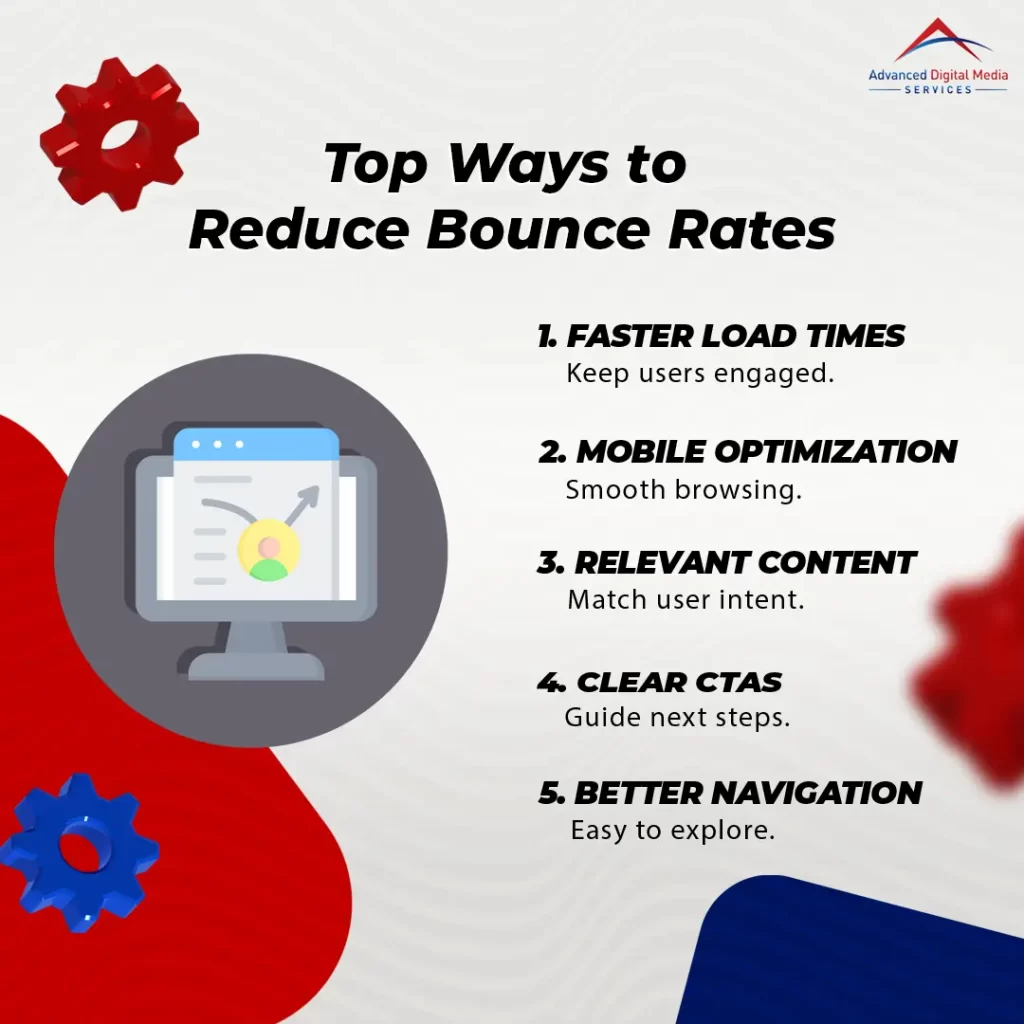
High bounce rates can often be traced back to a few common issues. If your site loads slowly, isn’t optimized for mobile, or features content that doesn’t match what users are looking for, you’ll likely see visitors leave quickly. Additionally, frustrating navigation or intrusive pop-ups can drive users away just as fast.
Slow loading times and poor mobile optimization
When users encounter slow loading times or a website that’s not optimized for mobile, they’re likely to leave almost immediately. This not only affects your bounce rate but also your site’s credibility. Here are some key factors to bear in mind regarding slow loading times and poor mobile optimization:
- Image Size: Large images can notably slow down loading times.
- Unoptimized Code: Bloated HTML, CSS, or JavaScript can hinder site speed.
- Server Response Time: A slow server can delay content delivery to users.
- Mobile Responsiveness: Websites that aren’t mobile-friendly frustrate users and lead to high bounce rates.
Improving site speed and engagement impact can drastically enhance user experience and keep visitors on your site longer.
Weak or misleading content that doesn’t match user intent
Content quality plays an essential role in keeping visitors engaged on your site. If your content is weak or misleading and doesn’t match user intent, it can lead to a high bounce rate. When users arrive looking for specific information and find irrelevant or confusing content, they’re likely to leave immediately. It’s vital to guarantee your content relevance aligns with what your audience is searching for. Conducting keyword research and understanding user intent can help you create articles that meet their needs. Focusing on delivering valuable and accurate information keeps visitors on your page longer, ultimately reducing your bounce rate. Remember, engaging content is key to retaining your audience and improving overall site performance.
Poor navigation or intrusive pop-ups that frustrate visitors
Weak or misleading content isn’t the only factor that can drive visitors away. Poor navigation or intrusive pop-ups that frustrate visitors can lead to high bounce rates, too. If users can’t easily find what they’re looking for, they’ll leave your site quickly. To keep them engaged, consider the following:
- Simplify your site’s navigation
- Limit the number of pop-ups
- Guarantee mobile-friendly design
- Use clear, concise calls to action
Turning Bounce Rate Data into SEO Insights
Once you’ve identified your bounce rate, it’s time to turn that data into actionable SEO insights. You can start by optimizing your content to keep visitors engaged longer, improving internal linking and calls to action, and enhancing your site’s UX and design. These strategies can greatly boost user retention and conversions, leading to better overall performance.
Optimizing content to keep visitors engaged longer
While high bounce rates can signal potential issues with your website’s content or user experience, they also present an opportunity to refine your approach and keep visitors engaged longer. Here are some effective strategies for optimizing landing pages for conversions:
- Craft compelling headlines that capture attention and communicate value.
- Use visuals strategically to break up text and enhance understanding.
- Incorporate interactive elements like quizzes or polls to encourage participation.
- Provide clear and concise information that answers visitors’ questions quickly.
Improving internal linking and calls to action
To effectively turn bounce rate data into actionable SEO insights, it’s essential to focus on improving internal linking and calls to action (CTAs). By strategically placing internal links within your content, you can guide visitors to related pages, keeping them engaged longer. This not only reduces bounce rates but also enhances tracking user intent and dwell time, providing valuable insights into what your audience craves. Additionally, well-crafted CTAs can encourage users to take the next step, whether that’s signing up for a newsletter or exploring more content. Make sure your CTAs are clear, compelling, and relevant to the user’s journey. By refining these elements, you’ll create a more cohesive experience that drives conversions and lowers bounce rates.
Enhancing UX and design to encourage conversions
As you explore bounce rate data, enhancing user experience (UX) and design becomes essential for encouraging conversions. Focusing on reducing bounce rate through content and improving your site’s overall appeal can lead to better engagement. Here are some key strategies:
- Streamline Navigation: Make it easy for visitors to find what they need.
- Optimize Loading Speed: A fast-loading site keeps users engaged longer.
- Utilize Engaging Visuals: High-quality images and videos can capture attention.
- Craft Compelling Content: Informative and relevant content keeps users on your site.
Implementing these strategies not only enhances UX but also fosters a more inviting environment that encourages conversions. By continually analyzing and adjusting based on bounce rate insights, you can create a better experience for your audience.
Improve Your Website’s Performance with ADMS Advanced Digital Media Services
If you’re looking to improve your website’s performance, ADMS can help. Our thorough SEO audits will pinpoint bounce rate issues, while expert web design and content optimization boost engagement. Contact ADMS today to start reducing bounce rates and maximizing your SEO results.
Comprehensive SEO audits to identify bounce rate issues
While understanding your website’s bounce rate is essential for optimizing user experience, conducting a thorough SEO audit can reveal underlying issues that contribute to high bounce rates. Extensive SEO audits to identify bounce rate issues will help you gain valuable SEO insights from analytics data. Here are some key areas to focus on during your audit:
- Page load speed: Slow-loading pages frustrate users and lead to higher bounce rates.
- Content relevance: Make sure your content meets users’ expectations and needs.
- Mobile responsiveness: Optimize your site for mobile devices to enhance user experience.
- Internal linking: Improve navigation with effective internal links to keep users engaged.
Expert web design and content optimization for stronger engagement
To enhance your website’s performance and engage visitors effectively, expert web design and content optimization are essential. By focusing on user experience (UX) optimization for lower bounce rates, you can create a more inviting online environment. Start with a clean, intuitive layout that guides visitors seamlessly through your content. Verify that your website loads quickly and is mobile-friendly, as these factors greatly influence user retention. Additionally, high-quality, relevant content keeps visitors engaged, encouraging them to explore further. Incorporate compelling visuals and clear calls to action to drive interaction. Regularly analyze visitor behavior to fine-tune your design and content strategy. With the right approach, you’ll foster stronger engagement, ultimately leading to a decrease in bounce rates and improved SEO performance.
Contact ADMS today to reduce bounce rates and maximize your SEO results
Ready to elevate your website’s performance? Contact ADMS today to reduce your bounce rate and maximize your SEO results. Our team specializes in mobile optimization and understands how essential it is for engaging your audience. Here’s what we can do for you:
- Analyze your current bounce rate to identify problem areas
- Implement mobile optimization strategies that enhance user experience
- Design engaging content that keeps visitors on your site longer
- Monitor results and adjust tactics for continuous improvement
With our expertise, you’ll not only lower your bounce rate but also increase conversions and improve your overall online presence. Don’t let high bounce rates hold you back—partner with ADMS and watch your website thrive!
Frequently Asked Questions
What Is an Acceptable Bounce Rate for My Industry?
An acceptable bounce rate varies by industry, but generally, 40-60% is considered average. If your rate’s higher, it might be time to assess your content and user engagement to enhance overall performance.
How Can I Track Bounce Rates Over Time?
You can track bounce rates over time by using Google Analytics or other analytics tools. Set up custom reports or dashboards to monitor changes, and regularly analyze trends to understand user engagement on your site.
Does a High Bounce Rate Always Indicate Poor Content?
No, a high bounce rate doesn’t always mean your content is poor. It might indicate users found what they needed quickly, or your site’s design isn’t engaging enough. Context and user intent matter considerably in interpretation.
Can External Factors Affect My Bounce Rate?
Did you know that 70% of mobile users abandon sites that take over three seconds to load? Yes, external factors like site speed, device type, and even seasonal trends can greatly affect your bounce rate.
How Does Mobile Optimization Impact Bounce Rates?
Mobile optimization considerably lowers bounce rates. When your site’s mobile experience is smooth and fast, visitors are more likely to stay engaged. If it’s not optimized, users may quickly leave, negatively impacting your overall performance.
Conclusion
In the digital landscape, understanding bounce rates is like steering a winding road; the bumps along the way reveal where you need to direct your efforts. By analyzing this essential metric, you can uncover hidden treasures of insight, transforming your website into a user-friendly oasis. Don’t let high bounce rates dim your online presence; instead, embrace the challenge and watch as your SEO efforts flourish, turning casual visitors into loyal customers.