
To track SEO performance with Google Analytics, start by setting up your account correctly. Monitor organic traffic through Acquisition reports and analyze user engagement using metrics like bounce rate and session duration. Focus on landing pages to understand which keywords drive traffic. Set specific goals for conversions to measure success, and create customized dashboards for ongoing performance insights. Stick around for more tips on optimizing your SEO strategy and leveraging Google Analytics effectively.
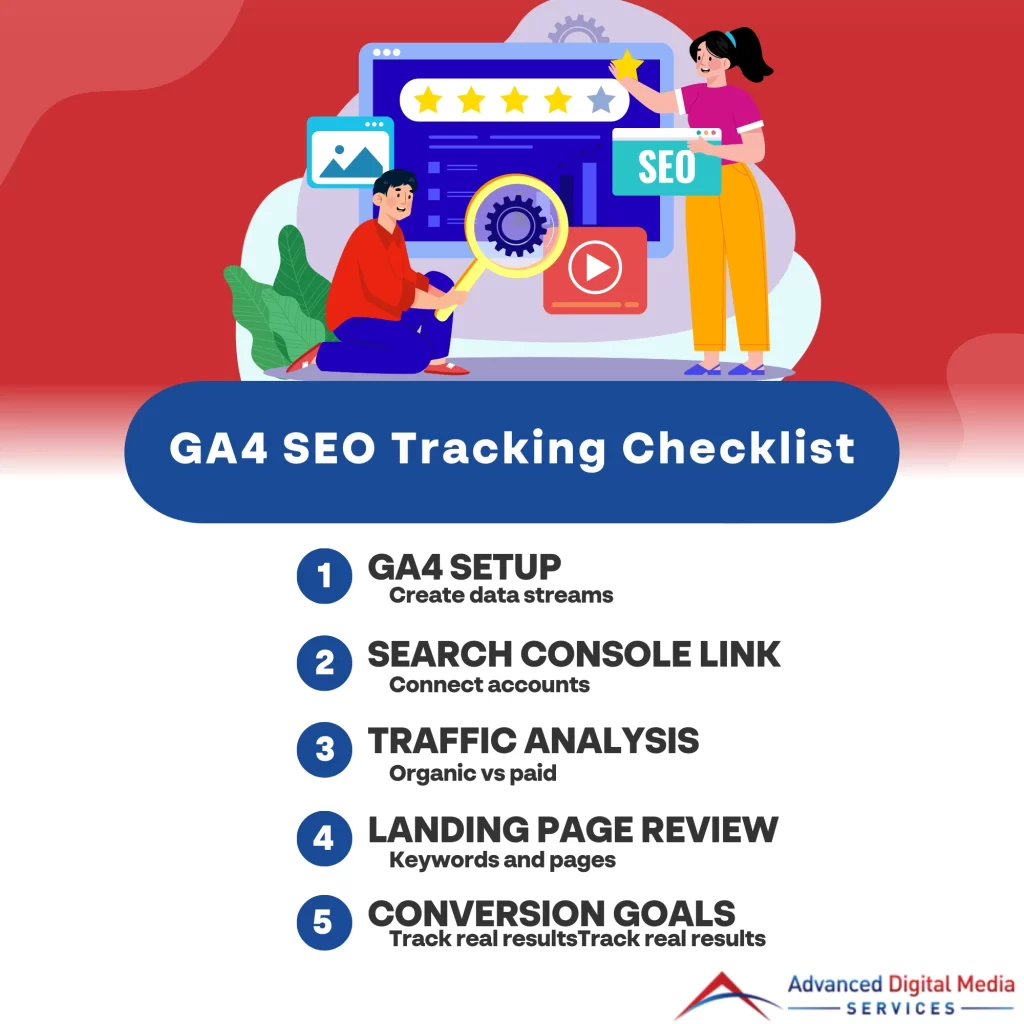
Key Takeaways
- Set up data streams in Google Analytics to effectively track SEO metrics and user engagement, including defining conversion events like page views.
- Utilize the Acquisition reports to analyze organic traffic and compare it with paid traffic for a comprehensive SEO performance overview.
- Monitor landing page performance to identify which keywords are driving traffic and recognize content gaps for optimization.
- Regularly review key metrics such as bounce rate and session duration to refine SEO strategies and improve user engagement.
- Create custom dashboards and goals in Google Analytics to track specific SEO objectives like organic traffic and keyword effectiveness.
Set Up Google Analytics Correctly for SEO Tracking
To track your SEO performance effectively, it’s essential to set up Google Analytics 4 (GA4) properly. You’ll want to guarantee it accurately measures your SEO results and connects seamlessly with Google Search Console. This integration will provide you with valuable insights into your website’s performance and search visibility.
Using GA4 to measure SEO results accurately
Setting up Google Analytics 4 (GA4) correctly is vital for accurately measuring your SEO results. First, make sure you’ve configured your data streams properly; this allows GA4 to collect data across your website effectively. Next, focus on defining your conversion events, like page views or form submissions, which are essential for tracking user engagement. When using GA4 to measure SEO results, utilize the “Engagement” and “Acquisition” reports to gain insights into how organic traffic behaves on your site. Additionally, set up custom dimensions to track metrics specific to your SEO efforts, such as keyword performance. By implementing these steps, you’ll have a robust foundation for understanding your SEO performance and making informed decisions to enhance your strategy.
Connecting Google Search Console with Google Analytics
While diving into SEO performance tracking, connecting Google Search Console with Google Analytics is essential for gaining thorough insights. This integration allows you to view your website’s search data alongside user behavior metrics, making it easier to analyze performance. To get started, navigate to your Google Analytics account, go to the Admin panel, and select the property you want to link. From there, click on “Property Settings” and find the option to link Google Search Console. Follow the prompts to complete the connection. Once linked, you’ll be able to access valuable information like search queries, impressions, and click-through rates directly in Google Analytics. This synergy enhances your SEO strategy and helps you make informed decisions for improvement.
Measure Organic Traffic and Search Visibility
To effectively measure your SEO performance, you’ll want to track both organic and paid search traffic in Google Analytics. By focusing on organic traffic growth over time, you can gain valuable insights into how well your SEO strategies are working. This data will help you understand your search visibility and make informed adjustments to your approach.
Tracking organic search vs paid search in Google Analytics
Understanding the differences between organic and paid search traffic is essential for optimizing your digital marketing strategy. In Google Analytics, you can easily differentiate between these two traffic sources. Organic search traffic comes from users finding your website through search engines, while paid search traffic results from ads you’ve purchased. To analyze performance, navigate to the Acquisition section in Google Analytics. Here, you can track organic search vs paid search, allowing you to see which channel drives more visitors and conversions. Monitor metrics like bounce rate and session duration for deeper insights. This data helps you refine your strategies, ensuring you allocate resources effectively for maximum impact on your overall SEO performance.
How to measure organic traffic growth over time
How can you effectively measure organic traffic growth over time? Start by utilizing Google Analytics to track your organic search traffic. Navigate to the “Acquisition” section, then select “All Traffic” and “Channels.” Here, you can view the performance of organic search versus other channels. Set up custom date ranges to compare traffic over different periods, allowing you to identify trends and growth patterns.
Additionally, monitor key metrics like bounce rate, session duration, and pages per session to assess user engagement. By consistently tracking SEO performance with Google Analytics, you’ll gain valuable insights into which strategies are working and where you need improvement. This data-driven approach will help you refine your SEO efforts for sustained organic traffic growth.
Monitor Landing Pages and Keyword Performance
To boost your SEO strategy, you should monitor landing pages and keyword performance closely. By analyzing landing page data, you can identify which keywords are driving traffic and discover any content gaps that need addressing. This insight will help you optimize your content and improve your search rankings effectively.
Monitoring keyword performance through landing page data
While tracking keyword performance might seem intimidating, monitoring landing page data can provide essential insights into how well your SEO efforts are resonating with your audience. Here’s how you can effectively analyze landing pages for keyword performance:
- Identify Top Landing Pages: Use Google Analytics to see which pages get the most traffic.
- Analyze Traffic Sources: Check where your visitors are coming from, focusing on organic search.
- Evaluate Bounce Rates: High bounce rates may indicate a mismatch between keywords and page content.
- Track Conversions: Determine if specific keywords lead to actions, like purchases or sign-ups.
Identifying top-performing SEO pages and content gaps
Which pages on your site are truly driving results? To identify top-performing SEO pages, explore Google Analytics and check the “Landing Pages” report. This’ll show you which pages attract the most organic traffic and conversions. By analyzing metrics like bounce rate and average session duration, you can gauge user engagement.
Next, look for content gaps. Are there keywords you’re ranking for that aren’t linked to high-traffic pages? Use tools like Google Search Console to find queries where you rank but don’t have dedicated content. This is key to learning how to measure organic traffic growth, as filling these gaps can enhance visibility and attract even more visitors. Focus on optimizing both strong pages and underperforming content for better results!
Track Engagement and User Behavior Signals
Tracking engagement and user behavior signals is essential for understanding how visitors interact with your site. You’ll want to pay close attention to metrics like bounce rate and time on page, as they can reveal a lot about your content’s effectiveness. By analyzing user paths, you can identify areas for improvement that boost both SEO and overall user experience.
Interpreting bounce rate and engagement for SEO
Understanding bounce rate and engagement metrics is essential for optimizing your SEO strategy. When interpreting bounce rate and engagement for SEO, consider these key factors:
- Bounce Rate: A high bounce rate may indicate that visitors aren’t finding what they expect.
- Engagement Rate: Track how often users interact with your content; higher engagement usually signals valuable content.
- Pages per Session: More pages viewed in a session often reflect deeper interest in your site.
- Average Session Duration: Longer sessions can mean users are more engaged with your content.
Understanding time on page and user paths
Time on page and user paths are essential metrics that reveal how visitors interact with your website. By monitoring these metrics, you can understand which content keeps users engaged and how they navigate through your site. This insight is important for tracking local SEO performance for small businesses, as it helps identify areas for improvement. If visitors spend more time on specific pages, it indicates valuable content that resonates with your audience. Conversely, short time on page may suggest you need to enhance that content. Additionally, analyzing user paths allows you to optimize navigation, making it easier for potential customers to find what they need. Ultimately, this data helps refine your strategies and improve overall user experience.
Set Goals and Conversions for SEO Success
To achieve SEO success, you need to set clear goals and track your conversions effectively. By defining what success looks like for your business, you can use conversion data to refine your SEO strategy. This targeted approach will help you enhance your online presence and drive meaningful results.
Setting up goals and conversions for SEO tracking
Setting clear goals and conversions is essential for effective SEO tracking. By setting up goals and conversions for SEO tracking in Google Analytics, you can measure the success of your SEO efforts. Here’s how to get started:
- Define your objectives: Determine what you want to achieve, whether it’s increased traffic, lead generation, or sales.
- Create specific goals**: Set measurable goals, like a target number of form submissions or purchases.
- Use goal types: Choose from destination, duration, pages/screens per session, or event goals to match your objectives.
- Track conversions: Implement conversion tracking to monitor user actions that align with your goals.
Implementing these steps guarantees you’ll accurately assess your SEO performance and make informed decisions for future strategies.
Using conversion data to refine SEO strategy
Many businesses overlook the power of conversion data when refining their SEO strategies. By using Google Analytics data to refine your SEO strategy, you can gain valuable insights into which keywords and pages are driving conversions. Start by analyzing your conversion goals to see which traffic sources yield the best results. Look at metrics like bounce rates, time on page, and goal completions. This information helps you prioritize your SEO efforts on high-performing content. Additionally, track user behavior to identify potential bottlenecks in the conversion process. By continuously monitoring and adjusting based on conversion data, you can enhance your website’s performance, improve user experience, and ultimately boost your overall success in SEO.
Build SEO Dashboards and Custom Reports
Now that you’ve set your goals and conversions, it’s time to build effective SEO dashboards and custom reports in Google Analytics. These tools will help you visualize your data and track performance more efficiently. Whether you’re in Denver or beyond, tailored reports can provide insights that align with your specific SEO objectives.
SEO dashboard setup in Google Analytics
When you’re looking to enhance your SEO performance tracking, creating customized dashboards in Google Analytics can be a game changer. An effective SEO dashboard setup in Google Analytics allows you to visualize key metrics in one place. Here’s how to get started:
- Define Your Goals: Identify what you want to track, like organic traffic or keyword rankings.
- Select Key Metrics: Choose metrics such as sessions, bounce rate, and conversion rate.
- Use Custom Widgets**: Create widgets that reflect your chosen metrics for quick insights.
- Regularly Update: Keep your dashboard aligned with your evolving SEO strategy.
This setup not only saves time but also helps you make data-driven decisions to boost your SEO efforts.
Custom SEO reports for clients in Denver, CO and beyond
Creating custom SEO reports is a powerful way to provide clients in Denver, CO, and beyond with clear insights into their digital performance. By tailoring these reports to your clients’ specific goals, you can highlight key metrics such as organic traffic, keyword rankings, and conversion rates. Start by integrating data from Google Analytics and other relevant tools, ensuring you showcase the most impactful trends and results. These custom SEO reports for clients in Denver, CO, not only demonstrate the effectiveness of your strategies but also foster transparency and trust. Regularly updating and presenting these reports can help clients understand their ROI, allowing for informed decision-making and adjustments to their SEO campaigns. With these insights, you’ll strengthen your client relationships and drive better outcomes.
Get Expert SEO Reporting and Strategy Support from Advanced Digital Media Services
If you’re looking to elevate your SEO strategy, Advanced Digital Media Services offers expert reporting and tailored support to help you navigate the complexities of online visibility. With their monthly SEO performance review, you’ll gain valuable insights that drive growth. Here’s what you can expect:
- In-Depth Analytics: Understand your website’s performance through detailed metrics.
- Customized Strategies: Get plans tailored specifically to your business needs.
- Ongoing Support: Benefit from continuous guidance and adjustments to your strategy.
- Performance Tracking: Monitor trends over time to guarantee sustained improvement. Elevate your SEO strategy with expert support and tailored insights by contacting Advanced Digital Media Services for enhanced online visibility.Frequently Asked Questions
How Often Should I Review My SEO Performance Metrics?
You should review your SEO performance metrics at least monthly. This frequency helps you identify trends, make necessary adjustments, and guarantee your strategies align with your business goals for maximum online visibility and growth.
Can Google Analytics Track Social Media Traffic Effectively?
Sure, Google Analytics can track social media traffic effectively—if you want to see how your cat memes are performing instead of actual conversions. It provides insights, but don’t expect it to work miracles.
What Is the Difference Between Sessions and Users in Analytics?
Sessions refer to individual visits to your site, while users represent unique visitors. A single user can have multiple sessions, so understanding both helps you gauge engagement and overall traffic patterns effectively.
How Do I Filter Out Bot Traffic in Google Analytics?
To filter out bot traffic in Google Analytics, go to Admin, select your view, check “Exclude all hits from known bots and spiders,” and apply filters to further refine your data for accurate insights.
What Are Some Common Mistakes to Avoid in SEO Tracking?
You’ll want to avoid common mistakes like ignoring mobile optimization, neglecting local SEO, not setting clear goals, misinterpreting data, and failing to update your strategy. Each can greatly hinder your SEO tracking effectiveness and results.
Conclusion
As you immerse yourself in the world of Google Analytics, think of it as a treasure map leading you to the hidden gems of your website’s performance. By tracking SEO metrics and user behavior, you’re not just collecting data; you’re uncovering insights that can transform your digital landscape. Embrace these tools, and watch as your website flourishes, attracting visitors like moths to a flame. With every click, you’re one step closer to SEO success—so go ahead and explore!