
To improve your website speed for technical SEO, focus on optimizing server performance and hosting choices, like using dedicated hosting if necessary. Optimize images and implement Gzip compression to reduce file sizes. Utilize browser caching and Content Delivery Networks (CDNs) to enhance load times. Minimize CSS and JavaScript files and use asynchronous loading. Regularly measure performance using tools like Google PageSpeed Insights to identify issues. Keep going, and you’ll discover more strategies to boost your site’s speed.
Key Takeaways
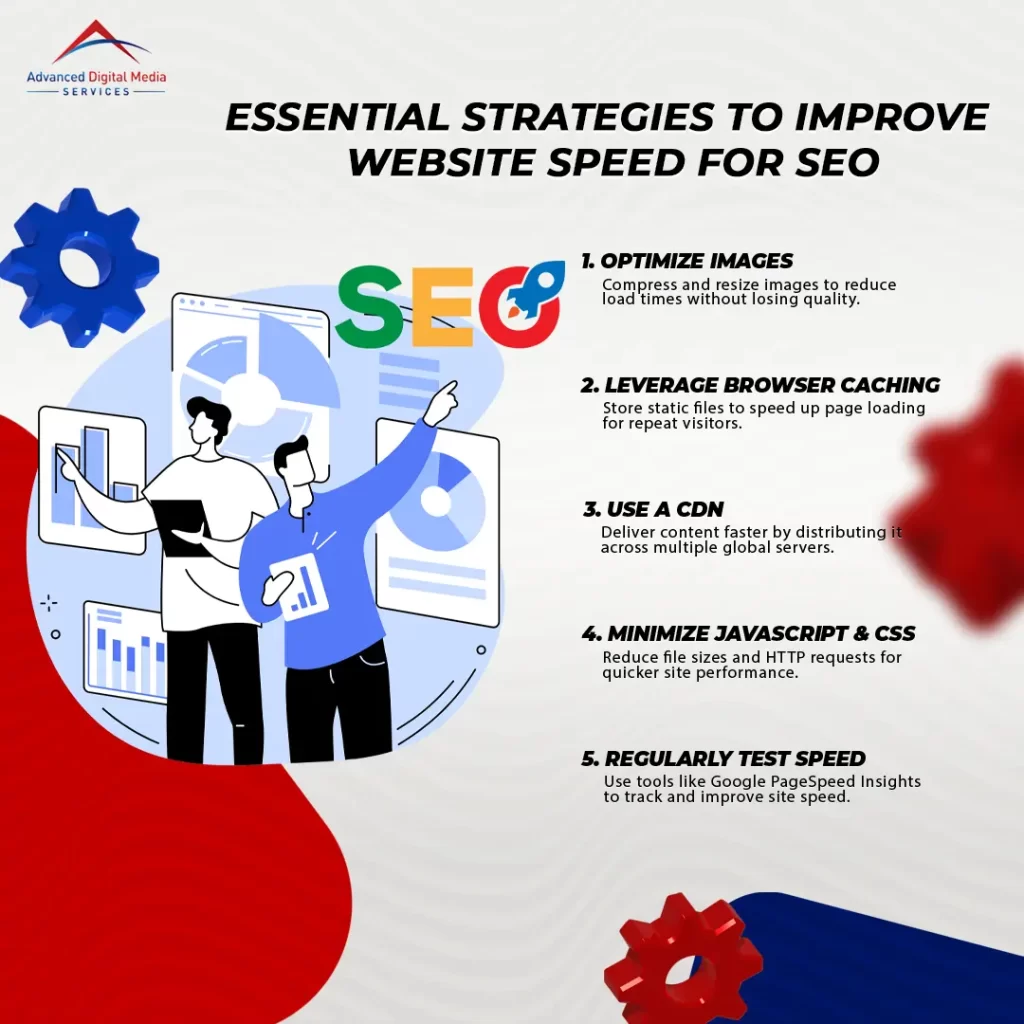
- Optimize images by compressing and resizing them to reduce load times without sacrificing quality.
- Implement browser caching to store static files, speeding up load times for returning visitors.
- Use a Content Delivery Network (CDN) to distribute content globally, improving access speed for users.
- Minimize and combine CSS and JavaScript files, reducing the number of HTTP requests and enhancing performance.
- Regularly test website speed using tools like Google PageSpeed Insights to identify and address optimization areas.
Understanding the Importance of Website Speed for Technical SEO
Website speed isn’t just a technical detail; it directly impacts user experience and your search rankings. If your pages load slowly, visitors are likely to bounce, which can hurt your conversion rates. Understanding this connection is essential for optimizing your site and keeping users engaged.
How Page Load Time Affects User Experience and Rankings
Although you may have an amazing website filled with great content, if your pages take too long to load, users are likely to bounce before they even see what you offer. Website speed statistics reveal that 47% of users expect a page to load in two seconds or less. If your site takes longer, you risk frustrating visitors, leading to a poor user experience. Search engines like Google take note of this, as they prioritize sites that load quickly in their rankings. A slow-loading page can hinder your visibility and decrease your chances of attracting organic traffic. So, focusing on improving page load time isn’t just about user experience; it directly impacts your search engine rankings, too.
The Impact of Site Speed on Bounce Rates and Conversion Rates
A slow-loading site doesn’t just frustrate users; it can considerably increase bounce rates and hurt conversion rates. When visitors land on your page, and it takes too long to load, they will likely leave before seeing what you offer. This quick exit negatively impacts your site speed SEO, as search engines take these metrics into account when ranking pages. The longer users wait, the more they lose interest, which means fewer conversions for your business. To enhance user experience and keep potential customers engaged, prioritize optimizing your site’s speed. Streamlining images, reducing server response time, and minimizing code can make a significant difference. Ultimately, improving your site’s speed can lead to lower bounce rates and higher conversion rates, benefiting your online presence.
Key Factors That Influence Website Speed
When it comes to website speed, several key factors come into play. You’ll want to contemplate your server performance and hosting options, as they can greatly impact load times. Additionally, optimizing images and using file compression techniques can make a big difference in how quickly your site runs.
Server Performance and Hosting Considerations
Server performance and hosting choices play an essential role in determining your website’s speed. If your server isn’t up to par, it can slow down your site, leading to a poor user experience and lower search rankings. When selecting a hosting provider, consider factors like server uptime, response times, and scalability. You should also evaluate whether shared or dedicated hosting fits your needs better. Running website speed tests can help you identify bottlenecks caused by your hosting environment. Prioritize providers that offer fast loading times and reliable support. By focusing on server performance and hosting considerations, you can greatly enhance your site’s speed and overall performance, leading to better SEO outcomes.
Image Optimization and File Compression Techniques
Website speed isn’t just about server performance; image optimization and file compression techniques also play an important role. When you’re optimizing images, it’s essential to choose the right format—JPEG for photos and PNG for graphics. Reduce their file sizes without sacrificing quality by using tools like TinyPNG or ImageOptim.
Additionally, implementing file compression techniques, such as Gzip, can greatly decrease the size of your HTML, CSS, and JavaScript files. This means less data is transmitted, improving load times. Don’t forget to leverage browser caching so returning visitors can load your site faster. By combining these strategies, you’ll boost your website’s speed, enhancing user experience and SEO performance.
Best Practices to Enhance Website Speed for SEO
When it comes to boosting your website speed for better SEO, implementing browser caching and using content delivery networks (CDNs) are game-changers. You’ll also want to minimize JavaScript, CSS, and HTTP requests to streamline your site’s performance. Let’s explore these best practices that can greatly enhance your site’s speed.
Implementing Browser Caching and Content Delivery Networks (CDNs)
One of the most effective ways to boost your site’s speed is by implementing browser caching and leveraging Content Delivery Networks (CDNs). Browser caching allows your visitors’ browsers to store static files like images and stylesheets, so they don’t have to be reloaded on every visit. This greatly speeds up page loading times, enhancing user experience and meeting technical SEO best practices. On the other hand, CDNs distribute your site’s content across multiple servers worldwide, ensuring that users access data from the closest location. This reduces latency and server load, further improving speed. By combining browser caching with CDNs, you’ll not only enhance performance but also positively impact your site’s SEO rankings, driving more traffic to your site.
Minimizing JavaScript, CSS, and HTTP Requests
Reducing the number of JavaScript, CSS, and HTTP requests is essential for speeding up your site and enhancing overall SEO performance. To achieve this, consider combining multiple CSS files into one and minifying both CSS and JavaScript. This minimizes file sizes and reduces load times. Also, eliminate any unnecessary code, as every byte counts. You might also want to implement asynchronous loading for JavaScript, allowing your site to load faster without waiting for scripts. These technical SEO examples can make a significant difference in your site’s speed. Additionally, consider using image sprites to combine multiple images into one file, further reducing requests. By following these practices, you’ll improve your site’s speed and boost its ranking potential in search engines.
Measuring and Monitoring Website Performance
To boost your website’s speed, it is crucial to measure and monitor its performance regularly. Using speed testing tools can help you pinpoint areas that need optimization, ensuring your site runs smoothly. Plus, conducting regular audits keeps your performance on track and allows for continuous improvements.
Using Speed Testing Tools to Identify Optimization Opportunities
How can you effectively measure your website’s performance? One of the best ways is to use speed testing tools that provide an extensive speed website test. These tools analyze your site’s loading times and pinpoint areas that need improvement. Popular options include Google PageSpeed Insights, GTmetrix, and Pingdom. They give you detailed reports on factors like image sizes, server response times, and script loading, helping you identify optimization opportunities. By regularly running these tests, you can track changes over time and see how your adjustments impact performance. Remember, a faster website not only enhances user experience but also improves your SEO rankings, making it essential to stay on top of your site’s speed.
Continuously Improving Performance with Regular Audits
After using speed testing tools to identify optimization opportunities, the next step is implementing a strategy for continuous performance improvement through regular audits. Regularly auditing your website helps you track changes in your website speed score and guarantees that previous optimizations remain effective. Set a schedule—monthly or quarterly—to review site performance and identify new issues. Use the same speed testing tools to maintain consistency in your measurements. Pay attention to elements like image sizes, code efficiency, and server response times. By consistently monitoring these factors, you can adapt your strategy to evolving web standards and user expectations. Ultimately, this proactive approach not only enhances your website speed score but also improves user experience and search engine rankings.
Frequently Asked Questions
How Does Website Speed Affect User Experience?
Website speed considerably impacts user experience; if pages load slowly, you’ll likely lose visitors. Fast-loading sites keep users engaged, enhancing satisfaction, and increasing the chances they’ll return or recommend your site to others.
Can Images Impact My Website’s Loading Time?
Images are like heavy stones in a backpack; too many can weigh down your website. If you don’t optimize them, your site’s loading time will suffer, leading to frustrated visitors and higher bounce rates.
What Tools Can I Use to Test Website Speed?
You can use tools like Google PageSpeed Insights, GTmetrix, and Pingdom to test your website speed. They provide detailed reports on performance, helping you identify areas for improvement to enhance user experience and SEO.
Is Website Speed Important for Mobile Users?
Yes, website speed is essential for mobile users. If your site’s slow, visitors may leave before it loads. Fast-loading pages enhance user experience, boost engagement, and improve your search rankings, making speed critical for success.
How Often Should I Check My Website’s Speed?
Think of your website’s speed like a race car; you wouldn’t want it to stall. You should check your site’s speed monthly, or more often if you make changes, to guarantee peak performance.
Conclusion
In summary, improving your website speed is essential for both user experience and SEO success. Did you know that a one-second delay in page load time can lead to a 7% loss in conversions? That’s a staggering statistic that highlights how vital speed is to keeping your visitors engaged and driving sales. By implementing the strategies we’ve discussed, you can create a faster website that not only attracts more traffic but also retains your audience’s attention.